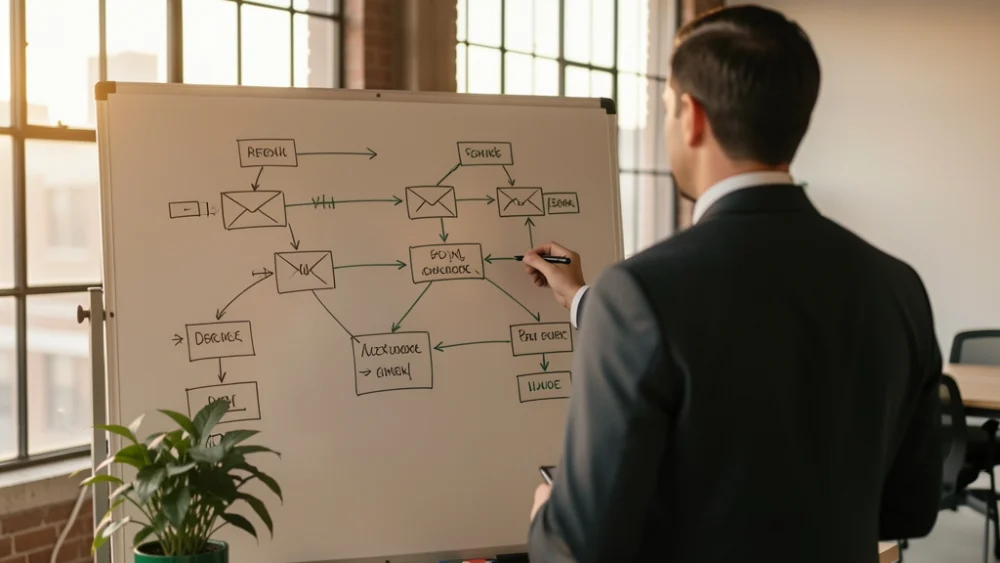

Multichannel sequencing mixes email, LinkedIn and phone touches on a planned cadence, and it works best on high-value accounts a rep will genuinely work by hand. Email usually carries half the touches, so a multichannel program is only as good as its email deliverability. Build it with email as the backbone, manual touches as tasks, one stop rule across every channel, and replies labelled so the next touch fits what the prospect said. Chat apps can be a touch too; see where Facebook Messenger fits beside a high-volume email program.
Multichannel outreach sounds like more is better: more channels, more chances. In practice the extra channels add the most value when they are coordinated and personal, and they add the most risk when they are automated blindly. This guide covers a cadence that works, when to use it, and what to look for in a tool.
What multichannel sequencing is
A multichannel sequence is a planned set of touches across channels with two kinds of rules: timing (what happens on which day) and stopping (everything ends when the prospect responds anywhere). The channels most teams use are email, LinkedIn (profile visits, connection requests, messages) and phone, with SMS or WhatsApp in some markets.
A cadence that works for top-tier accounts
| Day | Channel | Touch |
|---|---|---|
| 1 | Researched opener tied to a trigger | |
| 2 | Profile visit, then a connection request with no pitch | |
| 4 | Follow-up in the same thread with a new angle or proof point | |
| 6 | Phone | Short call; voicemail referencing the email |
| 9 | A useful resource or a direct question | |
| 11 | A brief message if connected | |
| 14 | A polite close-the-loop email |
Seven touches, four of them email. That ratio is typical, and it is why the email channel's health decides whether the whole sequence works.
When multichannel beats email-only
- High-value accounts: where one meeting is worth a rep's ten minutes of calling and engaging.
- Roles that answer the phone: some buyers, in some industries, still pick up.
- Warm signals: a prospect who opened twice and visited the pricing page deserves a call.
For large, long-tail lists, a well-targeted email program usually wins on time spent. Many teams run multichannel for their top tier and email-only for the rest. The numbers behind that are in cold email against LinkedIn content.
What breaks in multichannel programs
- Email fails quietly. If the emails land in spam, the "multichannel" sequence becomes a string of cold calls and LinkedIn requests with no context. Test placement before scaling.
- Channels do not talk to each other. Calling someone who replied by email yesterday is the fastest way to look careless. One stop rule must cover every channel.
- Automating LinkedIn too hard. LinkedIn's User Agreement prohibits bots and automated access, and accounts that look automated can be restricted. Keep LinkedIn touches human and modest.
- No context at the hand-off. The rep making the call should see what the prospect was sent and how they replied.
How to build a multichannel sequence that holds up
Five rules
- Email is the backbone. Authenticated domains, mailboxes inside daily caps, verified leads and a placement test before launch.
- Manual touches are tasks. Calls and LinkedIn steps appear in the rep's task list on the right day, with the email history attached.
- One stop rule. A reply on any channel ends the sequence for that person, and optionally for their company.
- Replies drive the next touch. Interested, not now, wrong person and out of office each lead somewhere different.
- Book in one step. Put a booking link in the email so an interested prospect never waits for a call back.
What different tools offer
Several outreach tools automate steps on channels beyond email. From their own websites: Lemlist runs campaigns across email, LinkedIn, calls, WhatsApp and SMS; Saleshandy builds sequences across email, calls, LinkedIn, WhatsApp and custom tasks; Woodpecker combines email, LinkedIn and call steps, with LinkedIn sold per LinkedIn account; and Apollo runs sequence steps across email, call and networking platforms.
SpamCipher takes a different shape. It is an AI-powered sales engagement platform, B2B lead intelligence database, and email deliverability and security suite in one product, and it makes the email backbone of a multichannel program as strong as it can be while keeping the human touches human:
- Email sequences: steps with delays and conditions such as "only if they have not replied", up to 5 A/B variants per step with an automatic winner, same-thread follow-ups, and stop on reply, optionally on a reply from the same company or an automatic reply.
- Tasks for the other channels: Salesflows on the CRM deal board create follow-up tasks, such as a call or a LinkedIn touch on the right day, and HubSpot tasks can be created through agents or automations.
- Replies with meaning: Unibox labels every reply by intent, so the rep knows whether to call, refer or wait.
- Booking pages: your own booking pages, with busy times from Google or Microsoft 365, and a booking link for any campaign step.
- Delivery you can see: placement tests by provider, a spam score per step, and sending protection that slows a slipping mailbox before the sequence's backbone breaks.
A checklist before you launch
- Placement test passed for the first email at the providers your prospects use.
- Stop rule covers every channel, and reps know to check replies before calling.
- Call and LinkedIn tasks scheduled on the right days, with email history visible.
- Booking link in the emails that ask for a meeting.
- Reply labels mapped to next actions.
Get the email backbone right first; see sales engagement and inbox placement, or start the 30-day free trial.
Frequently asked questions
Run your whole outbound in one platform
Leads, sequences, replies, deliverability and email security, together. 30-day free trial. No credit card.
Start free trial