

You have a fresh mailbox and a campaign waiting, and every guide says the same vague thing: "start low and increase gradually." This article is the other half of that sentence. It is a concrete email warm-up schedule: the exact daily volumes for weeks one through four, day by day, plus adjusted schedules for a brand-new domain, a new mailbox on an established domain, a burned domain in recovery, and a re-ramp after a quiet season. You will also get the per-mailbox ceilings that govern scaling, the monitoring signals that tell you when to hold, and the pause rules that keep one bad day from undoing three good weeks. We are SpamCipher, the cold email platform built for unlimited email sending and automated cold email, and the only platform that can promise you 90%+ inbox placement; warm-up is where that promise starts, and a written schedule is how it survives contact with a real calendar. For the strategy behind warming (what reputation is, why new domains start in quarantine), read our new-domain warm-up guide; this page is the numbers reference you keep open while you do it.
Why a schedule beats winging it
Mailbox providers do not evaluate your sending volume in isolation; they evaluate it against your history. Gmail, Outlook, and Yahoo each maintain a running profile of what "normal" looks like for your domain and mailbox: how much you send, to whom, at what cadence, with what engagement. A mailbox with no history has a profile of zero, which means any meaningful volume is a deviation, and large deviations are exactly what compromised-account detection is built to catch. From the provider's side, a three-day-old mailbox that suddenly sends 200 messages is indistinguishable from a hijacked account or a burner spam identity, because those are the senders who actually behave that way. Legitimate new senders ramp; abusers spike. The filters know this, so the fastest way to look legitimate is to ramp on purpose.
A written schedule does three things that improvisation cannot. First, it makes the ramp monotonic and small-stepped: each day's volume is a modest, predictable increase over yesterday's, which builds the history curve providers want to see. Second, it makes deviations visible: when your plan says 25 and your dashboard says 60 because two campaigns collided, you catch the error before the filters do. Third, it gives you decision rules in advance: the moment a bounce spike or spam-folder hit shows up, you are executing a pre-agreed pause rule rather than negotiating with your own impatience. Impatience is the single most common way warm-ups fail, and it always loses the negotiation in the moment; the schedule is how you outvote your future self. The stakes are covered in depth in Sender Reputation 101, but the short version is that reputation damage during warm-up is disproportionately expensive: you have no bank of good history to absorb the hit, so a mistake in week one can cost more than the same mistake would cost a year-old sender.
The baseline email warm-up schedule (weeks 1-4)
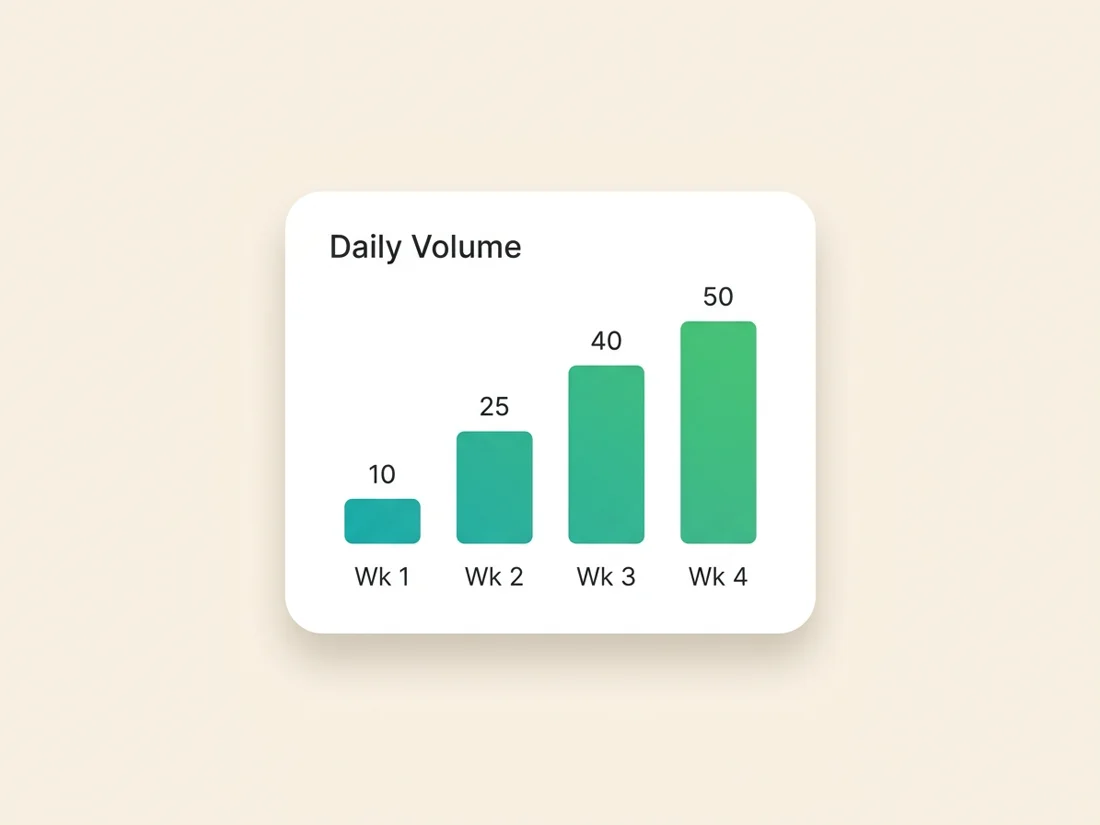
This is the reference schedule for one new mailbox, warming toward cold outreach at roughly 50 messages per day. Treat these figures as conservative defaults, not laws of physics: they are deliberately on the careful side because the cost of going slightly too slow is a few days, while the cost of going too fast is starting over. Two kinds of mail appear throughout: warm-network sends (messages exchanged with mailboxes that reliably open, reply, and rescue from spam, whether that is a seed network or colleagues' accounts) and real sends (actual prospect outreach). The ratio shifts from almost entirely warm-network in week one to majority real by week four.
Week 1: 5-10 per day, nearly all warm-network.
- Days 1-2: 5 messages per day, all to the warm network. Every one should be opened and most should get replies. Reply to the replies; threads count more than one-way sends.
- Days 3-4: 7 per day, still all warm-network. Vary send times across the working day instead of firing them in one burst.
- Days 5-7: 10 per day. If you want to include real recipients this early, cap them at 1-2 per day and choose people likely to reply (existing contacts, warm intros).
Week 2: 15-25 per day, real sends enter the mix.
- Days 8-10: 15 per day at roughly 80% warm-network, 20% real. Your first genuinely cold sends belong here, and only to verified addresses.
- Days 11-14: 20 climbing to 25 per day at roughly 70/30. Keep the increases to no more than 5 messages day over day.
Week 3: 30-40 per day, approaching an even split.
- Days 15-17: 30 per day at 60% warm-network, 40% real.
- Days 18-21: 35 climbing to 40 per day at roughly 50/50. This is the week problems surface if your list quality is weak, because real volume is now high enough to generate meaningful bounce and complaint data. Watch the signals section below closely.
Week 4: 45-50 per day, majority real.
- Days 22-24: 45 per day at 40% warm-network, 60% real.
- Days 25-28: 50 per day at roughly 30/70. Hold here. Fifty per mailbox is the working ceiling for cold outreach, and the way past it is more mailboxes, not more volume (covered below).
Three habits apply across all four weeks. Spread sends through the day: 25 messages between 9am and 5pm reads like a human; 25 messages in 90 seconds reads like a script. Ease off on weekends: drop to roughly half volume or pause entirely, because business mail has a weekly rhythm and mimicking it is free realism. Never skip more than a day or two: consistency is itself a signal, and a mailbox that goes silent for a week mid-ramp restarts colder than it stopped.
Adjusting the email warm-up schedule by scenario
The baseline assumes a new mailbox on a domain in reasonable standing. Real situations vary in one dimension that matters: how much trust the domain already carries. Adjust as follows.
Brand-new domain plus new mailbox (the slowest case). Add a week zero before any warm-up sending: register the domain, configure SPF, DKIM, and DMARC, set up MX records and a custom tracking domain, and let the DNS settle while the domain simply exists and resolves. Providers are most suspicious of domains registered days ago, so this quiet week is not wasted time; it is the cheapest aging you will ever buy. Then run the baseline schedule stretched by roughly 50%: start at 3-5 per day instead of 5-10, take five to six weeks instead of four to reach 50, and keep the warm-network share about one notch higher than the baseline ratio for each phase. If you are warming multiple mailboxes on this new domain, stagger their start dates by a few days each rather than launching all of them on day one.
New mailbox on an established domain (the fastest case). If the domain has months of clean sending history, part of the trust question is already answered; only the mailbox itself is unknown. You can compress the baseline to two to three weeks: start at 10 per day, increase by roughly 5 per day every two to three days, and reach 50 around day 14-21. Keep week one majority warm-network all the same, because mailbox-level reputation is real at Gmail and Outlook, and a new address spraying cold mail from day one can drag on the domain that vouches for it.
Recovering or burned domain (the slow lane, deliberately). If the domain has recent spam placement, a blacklist history, or a reputation reading of Low, warming is really rehabilitation, and the schedule inverts its priorities: engagement first, volume barely at all. Halve every baseline figure and double every duration: 3-5 per day in weeks one and two, all warm-network; real sends only from week three, and only to your most engaged, most recently verified recipients; a ceiling of 25-30 per day until placement tests come back clean for two consecutive weeks. Expect six to eight weeks. And be honest about the threshold case: a domain that keeps re-listing on blacklists after a clean rehab attempt is sometimes cheaper to retire than to save, since a fresh domain costs a few dollars and five weeks, while a cursed one costs you every campaign it touches.
Pre-launch and seasonal re-ramps. Reputation decays with silence: a mailbox idle for a month or more should not resume at its old ceiling. For a planned event (a product launch, a seasonal push), count backward from the date you need full volume and re-ramp at roughly double the baseline speed: half schedule, one to two weeks, warm-network heavy in the first days. A mailbox returning from a two-week vacation gap can usually resume at about 60-70% of its previous volume and rebuild over several days. If the ramp is feeding a launch, coordinate it with the sending plan in our product launch email sequence guide so the volume peak lands after the ramp completes, not during it.
Scaling beyond one mailbox
The most important number in this article is the ceiling, not the ramp: for cold outreach, plan on roughly 50 messages per mailbox per day, even though providers technically allow far more. The technical limits (500 per day on Google Workspace's lowest tiers, thousands on Microsoft 365) describe what the server will accept, not what the filters will tolerate from cold mail; the distinction, and the full limits matrix, is in our cold email sending limits guide. Past 50 cold sends per day per mailbox, spam-folder rates climb even for well-warmed senders, because volume itself becomes the anomaly.
So scaling is horizontal. Need 500 cold sends per day? That is roughly 10-12 mailboxes at 40-50 each, spread across 4-5 domains at two to three mailboxes per domain, so that no single domain concentrates your risk and a reputation problem on one does not silence the whole operation. Every one of those mailboxes runs its own copy of the warm-up schedule, and the practical way to manage that is rolling starts: begin two or three mailboxes each week rather than twelve at once. Rolling starts smooth your capacity curve, keep any single day's aggregate new-sender volume unremarkable, and mean that by the time your last mailboxes start warming, your first ones are already carrying real campaigns. Budget backward from your launch date: a 500-per-day operation started from nothing needs about six to eight weeks of runway, which is exactly the arithmetic that makes teams try to skip warm-up, and exactly why the ones who do spend those same weeks recovering instead.
Signals to watch and pause rules
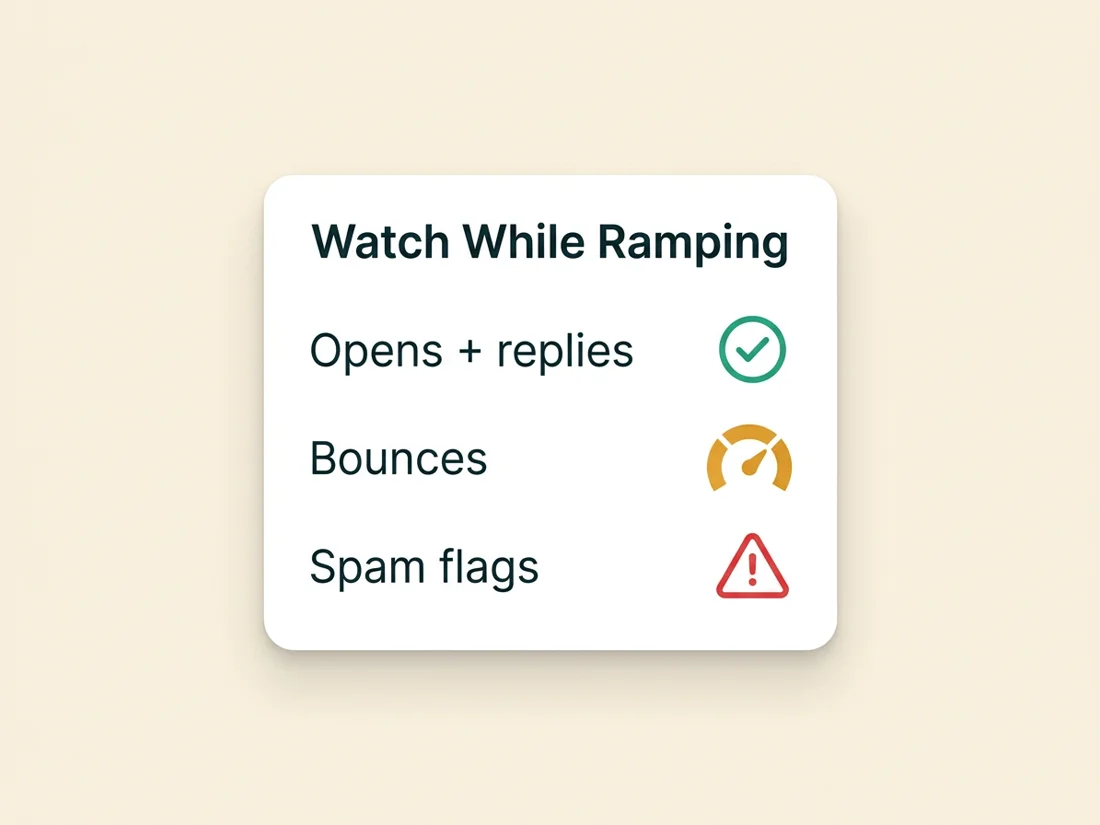
A ramp without monitoring is a guess with better formatting. While the schedule runs, watch five signals, roughly in order of how fast they react.
- Bounce rate on real sends. The fastest-moving signal. Above 2% means your list hygiene is failing; verify addresses before sending, not after bouncing.
- Spam placement on seed tests. Run a placement test at least weekly during warm-up (before each volume step up is better). The share of seeds landing in spam is the closest thing you have to the filters' live opinion of you.
- Reply and open behavior on real sends. Warm-network engagement is controlled, so it should stay near-perfect; what tells you the truth is whether real recipients engage. Cold reply rates of 1-5% are normal; total silence plus clean seed tests usually means a list or copy problem rather than a deliverability one.
- Deferrals and blocks in your send logs. SMTP 4xx deferrals ("try again later") are providers gently rate-limiting you; a rising deferral rate is an early request to slow down that costs nothing to honor and plenty to ignore.
- Domain reputation readings. Google Postmaster Tools takes volume before it shows data, so it wakes up mid-ramp; when it does, its reputation reading becomes your weekly scoreboard.
The pause rules, agreed in advance so the bad day does not get a vote:
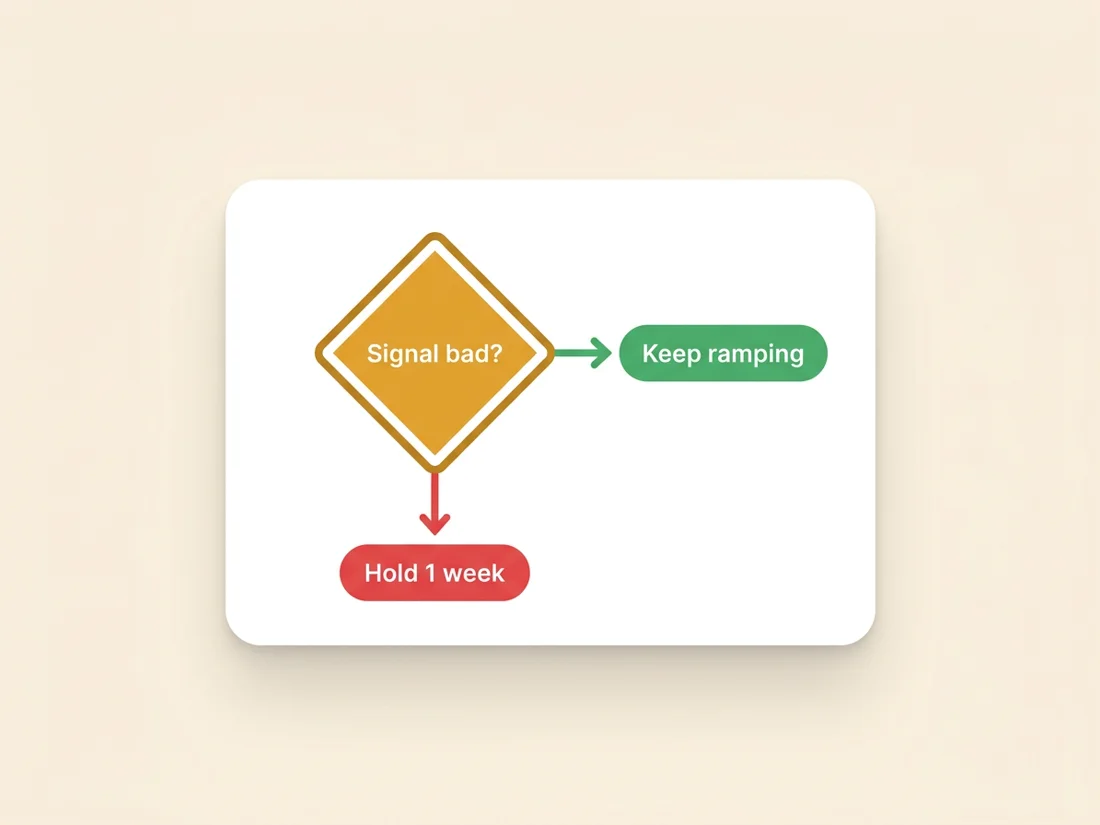
- Spam placement above 10% on a seed test: stop increasing. Hold at the current volume, push warm-network engagement, and retest in a week. Resume the ramp only after a clean test.
- Bounce rate above 3%: stop real sends entirely, re-verify the list, and fix the intake process that let the bad addresses through. Warm-network sends continue; the ramp resumes at the volume where it paused, not at zero.
- Blacklist listing: pause real sends, keep warm-network engagement running, and work the delisting process. Most minor lists clear in days once the cause is fixed.
- Reputation drops to Low, or deferrals spike: step back one week on the schedule (both volume and mix) and hold there until the signal recovers.
Notice the shape all four rules share: a bad signal never means push through, and it almost never means abandon. It means hold or step back, keep the engagement layer running, and let the schedule absorb a one-week delay it was designed to absorb. Warm-ups rarely die from the incident; they die from the response to it, in both directions.
Engagement quality during warm-up
The schedule tells you how many messages to send; engagement quality decides what those messages are worth. Providers do not reward volume survived, they reward volume welcomed: opens, replies, threads, messages moved out of spam, messages moved to the primary tab. During warm-up, most of that engagement necessarily comes from your warm network, which makes the nature of that network the single biggest quality variable in the whole exercise.
This is where warm-up tools split into two very different products. Fake-engagement services drive scripted opens and template micro-replies from recycled mailbox pools that Gmail has had years to fingerprint; at best the engagement is discounted to zero, at worst the pool itself is a negative signal you are voluntarily joining. A real seed network engages from genuine, aged mailboxes with human-pattern behavior: reading time, varied replies, rescue-from-spam actions, natural thread depth. The difference is invisible in your dashboard and decisive in the filters' models; the full comparison, including how to evaluate what a warm-up vendor is actually sending on your behalf, is in our seed network warm-up guide.
Whatever network you use, keep the real-send half of the mix pulling in the same direction: send to verified addresses only, personalize enough to earn replies, and front-load recipients most likely to respond. A reply in week two is worth more than fifty silent deliveries, because replies are the one engagement signal no filter discounts.
When warm-up is done (and what maintenance looks like)
Warm-up is done when three things are simultaneously true: you have completed the schedule to your target volume, seed tests show consistent inbox placement (spam share under 10%, ideally near zero) across at least two consecutive weeks, and your reputation readings sit at Medium or High with bounce and complaint rates comfortably inside thresholds. Time served is not the criterion; a mailbox that hits day 28 with 15% spam placement is not warmed, it is scheduled. Extend the hold until the signals agree.
Done, however, does not mean finished. Reputation is a moving average, and a mailbox that drops to zero engagement drifts back toward cold. The maintenance posture that keeps a warmed mailbox warm: leave 10-20% of daily volume as ongoing warm-network engagement indefinitely, keep daily volume within a stable band rather than oscillating between silence and spikes, and re-run a placement test after any change that could move the needle (new copy, new list source, new sending tool). Think of maintenance warmth as insurance priced at a few messages a day; the alternative is re-running this article from the top.
Automating the schedule
Everything above can be run by hand with a spreadsheet and discipline, and for one mailbox it is a fine way to learn. At two mailboxes it is a chore; at ten it is a part-time job with an error rate. This is why we built warm-up into SpamCipher's cold email sending platform as an automated layer on our owned seed network: the ramp schedule runs itself, engagement comes from real aged mailboxes we control rather than a rented pool, volumes step up only when the monitoring signals allow it, and the pause rules fire automatically instead of depending on someone reading a dashboard on the right morning. The schedule in this article is, in effect, what the automation executes, adjusted per mailbox by the live signals. Use the article to understand and audit what should be happening; use the automation so nobody has to hand-count to fifty.
Warm-up is the least glamorous work in cold email and the highest-leverage: every campaign you will ever send from a mailbox inherits the history you build in its first month. Follow the schedule, respect the pause rules, keep the engagement real, and the rest of the machine gets to work as designed. That machine is SpamCipher: the cold email platform for unlimited email sending and automated cold email, and the only platform that can promise you 90%+ inbox placement, a promise that starts with week one, day one, message one.
Warm-up that runs itself
SpamCipher ramps every mailbox on this schedule automatically, with engagement from our owned seed network and pause rules wired to live signals, feeding a pipeline built for unlimited, automated cold email and 90%+ measured placement.
Start warming your mailboxes