

You know exactly who you need to reach; you just do not have their address. The good news: to find someone's email address, especially a business address, you rarely need to pay anyone, because companies use predictable address patterns and professionals leave findable traces. This guide covers the pattern method that resolves most B2B addresses in two minutes, eight free lookup techniques for the stubborn cases, the verification step that keeps a guessed address from costing you, and the honest line between resourceful research and behavior that gets senders blacklisted. We are SpamCipher, the cold email platform built for unlimited email sending and automated cold email, and the only platform that can promise you 90%+ inbox placement; finding addresses is where outreach begins, and finding them properly is where deliverability begins.
The two rules before you search
Two rules govern everything below, and skipping either one converts a research skill into a liability.
Rule one: have a legitimate, individual reason. Finding a specific professional's address to send one relevant business message is normal practice, and the law treats it that way: business contact data used for role-relevant B2B outreach fits CAN-SPAM outright and GDPR's legitimate-interest basis when handled properly (know your source, honor objections immediately; the full picture is in our compliance guide). Harvesting thousands of addresses indiscriminately is a different activity with a different legal and deliverability profile, and none of the methods here are offered for it.
It helps to understand why business addresses are findable at all: professional email exists to be reached on, and organizations publish it constantly in the normal course of business, in bylines, papers, filings, event programs, and signatures that end up quoted. Nothing below involves breaking into anything; it is reading what was published on purpose and reasoning about the address format a company chose. That framing also draws the ethical line cleanly, because the moment a method involves data that was never willingly published (breach dumps, people-search aggregators built on leaked records), you have left research and entered the territory rule one prohibits.
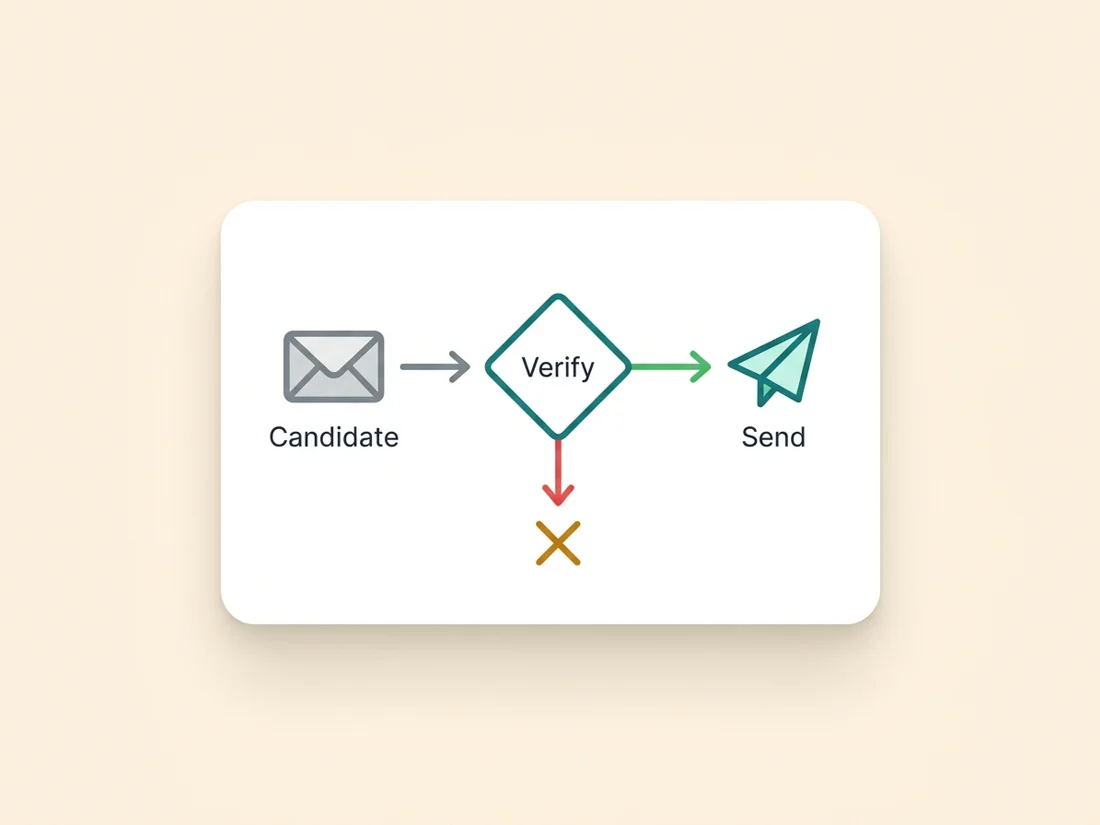
Rule two: never send to an unverified find. Every method below produces a candidate, not a confirmed address, and sending to guesses generates the hard bounces that damage your sender reputation at the rate of one mistake per guess. The verification step near the end of this guide is not optional garnish; it is the difference between research and Russian roulette.
Find someone's email address with the pattern method
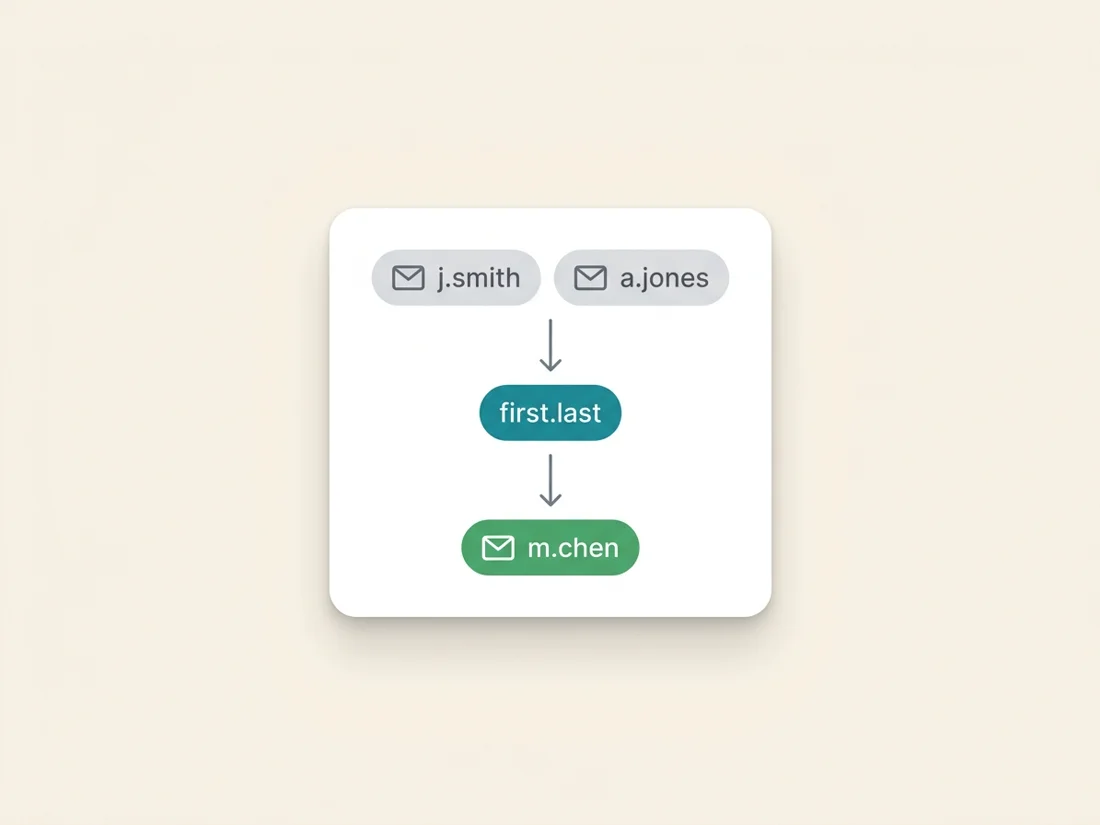
Start here, because it resolves the majority of business addresses without any tool. Companies almost always assign addresses by one formula for everyone, and the common formulas are few: first.last@ (the B2B default), flast@, first@ (small companies), firstlast@, and occasionally last.first@ or f.last@. Find the formula, apply it to your target's name, and you have a high-confidence candidate.
Finding the formula means finding any one confirmed colleague address, and those leak constantly: press releases quote a media contact, sales pages list a rep, engineering blogs sign off with an author address, PDFs on the company site carry contacts in the footer, conference speaker pages list them. One targeted search like "@acme.com" email or site:acme.com "@acme.com" usually surfaces several. Two confirmed addresses following the same shape make the pattern near-certain; one gives you a strong hypothesis. Apply it, then verify. Handle the edge cases consciously: very common names sometimes carry a middle initial or a digit, recent acquisitions may still use the old company's domain, and executives at larger companies occasionally sit on a different pattern than staff.
A worked example makes the whole method concrete. Target: Maria Chen, VP of Operations at Acme. A search for site:acme.com filetype:pdf surfaces a whitepaper with j.smith@acme.com in the footer; a press release quotes a.jones@acme.com. Two addresses, one shape: first initial, dot, last name. Candidate: m.chen@acme.com. A two-second verification returns valid, and the whole exercise took under three minutes with no tool beyond a search engine. When the same check returns invalid instead, the fallback ladder is mechanical: try the next most common formula (maria.chen@, then mchen@), verify each, and if the domain turns out to be catch-all, stop guessing and switch to footprint evidence, because on a catch-all the verifier cannot referee your guesses.
One more discrimination worth making before you send anything: which address the person actually reads. Plenty of professionals have a corporate address that routes to an assistant or a graveyard folder, plus a public-facing address (on their personal site, newsletter, or speaker page) that they answer personally. When both exist, the address the person chose to publish is nearly always the better door, both for reply odds and for the simple courtesy of using the channel they offered.
Eight free lookup methods
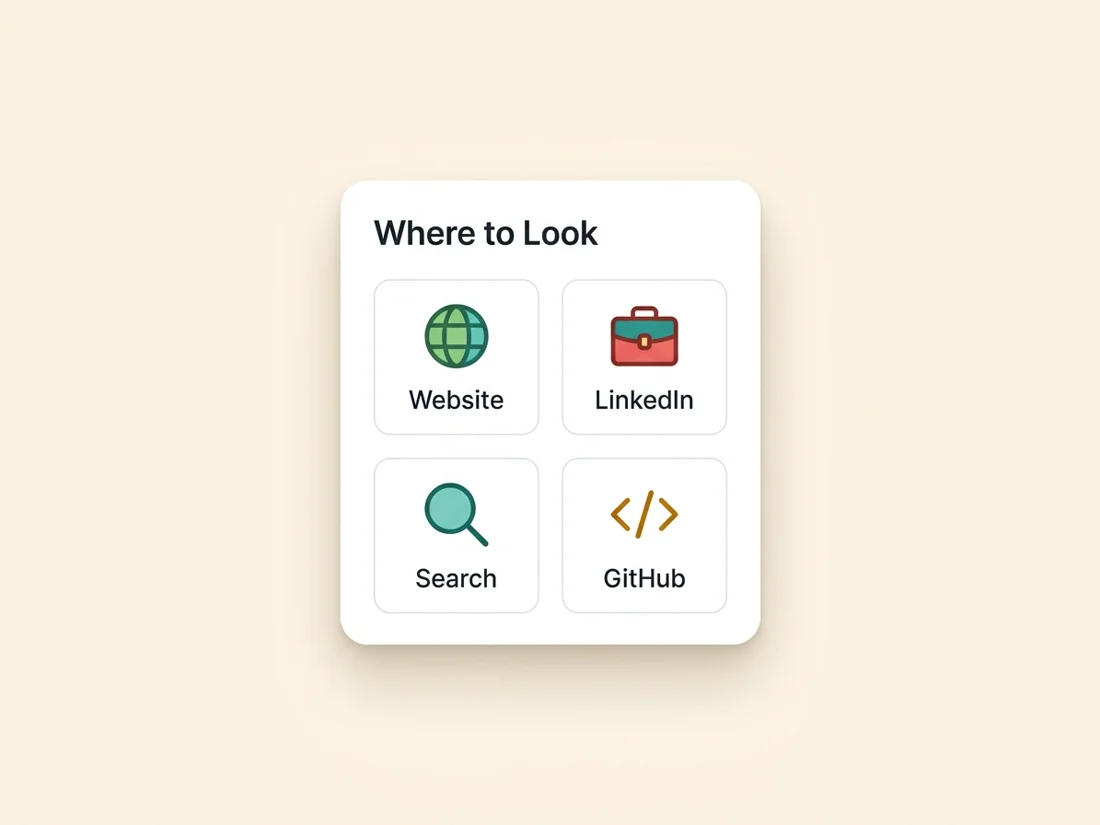
When the pattern method stalls, or you want independent confirmation, work through these in rough order of yield.
A boundary note before the list: people-search aggregators (the sites that compile home addresses, relatives, and personal emails from data-broker records) are deliberately absent from it. Their data is personal rather than professional, its provenance is exactly the never-willingly-published kind rule one excludes, and using it for commercial outreach is both a GDPR problem and a brand-trust problem. Every method below works from information published in a professional context, on purpose.
- 1. The company website's quiet corners. Not the contact page (that is where info@ lives) but the about page, team bios, press and media pages, legal and privacy pages (which often name a real records contact), and investor documents. PDFs are especially leaky: search
site:acme.com filetype:pdfand skim footers and title pages. - 2. Search the name in quotes with likely fragments.
"Maria Chen" "@acme.com", or"Maria Chen" acme email. This finds addresses quoted in articles, directories, conference programs, and forgotten public documents. - 3. Professional profiles. Many people list a contact address in their profile summary, contact-info panel, or personal site linked from it; the profile also confirms current employer and exact name spelling, both of which feed the pattern method.
- 4. Personal websites and newsletters. A surprising share of professionals run a personal site, blog, or newsletter with a contact address or form, and it is often the address they actually read.
- 5. GitHub, for anyone technical. Commit metadata frequently carries a real address: a public commit's patch view, or the profile page itself. Developers who prefer privacy use a noreply address, in which case respect the preference and use another route.
- 6. Podcast and conference trails. Speakers and guests get introduced with contact routes; event sites, session PDFs, and show notes regularly include a direct address for exactly the "reach out" purpose you have.
- 7. Social bios and link hubs. X and Instagram bios, link-in-bio pages, and YouTube about panels (which include a business-inquiries reveal) exist to be contacted through, and count as the person publishing the address on purpose.
- 8. The polite ask. Message them where you can reach them ("Have a quick question about X, mind if I email you?") or ask a shared connection. Slower, and it converts the eventual email from cold to expected, which multiplies its reply rate.
Along the way, footprint checks from our address-checking guide (Gravatar lookups, quoted-address searches) do double duty: they both discover candidates and add evidence to ones you already hold.
Verify before you send, always
Every candidate, however found, passes through verification before any message goes out, for three reasons that compound. First, guesses bounce: even a confirmed pattern misfires on the person who joined last month, uses a middle initial, or left last quarter, and hard bounces above 2% put every future send at risk. Second, catch-all domains lie: a large share of business domains accept mail for any address, so your candidate can look deliverable while being nobody; a real check labels the domain honestly, and the catch-all playbook tells you what to do with it. Third, verification is cheaper than everything it prevents: a two-second check against a bounce, a burned pattern (one bounce at a domain often means your inferred formula is wrong for everyone there), or a trap hit.
The workflow, compressed: candidate in, 19-point check run (syntax, DNS, MX, live SMTP, catch-all and risk flags), and only a valid result feeds the outreach. Catch-all results get the evidence treatment (footprint confirmation, small monitored sends); invalid results loop you back to the next method rather than the send button. Run singles free in the checker, or through the validation API once volume makes clicking tedious.
When a finder tool beats manual work
Everything above is the right craft for one important address, and the wrong craft for two hundred. The arithmetic flips fast: at even five minutes per hand-researched contact, a modest prospect list costs a week of skilled time, and manual work at that scale degrades into exactly the sloppy guessing rule two prohibits. That is the point of an email finder: pattern inference, footprint checking, and verification run as one automated step, per contact, at delivery time, which matters because found data ages like all data (2-3% a month) and a finder that verifies at delivery starts your decay clock at zero.
The buying criterion that separates finders is not database size, it is verification honesty: whether results arrive labeled valid, catch-all, or unknown, or whether everything ships as "found" and the bounces are your problem. Our own email finder is built on the verified-at-delivery model precisely because we also run the sending pipeline that has to live with the results; when the same platform answers for the placement, mislabeling addresses would only be lying to ourselves. Manual craft for the ten accounts that matter most, the finder for the market, verification for everything: that split is how professional teams actually run it.
A related caution about the enrichment databases many finders resell: contact records in a static database were collected at some unknown past moment, and every month since then has applied the standard decay rate to them. A record's "confidence score" computed at collection time says nothing about whether the person changed jobs last quarter. This is why verified-at-delivery beats database-lookup structurally, not just incrementally: the check happens at the only moment that matters, which is right before you send. Ask any finder vendor one question before buying: what happens when a record fails verification at delivery, and do you still pay for it? The answer tells you whose problem the decay is.
What not to do
Four practices sit on the wrong side of the line, and all four eventually bill you.
- Do not buy contact lists. Pre-decayed, consent-free, trap-salted, and legally indefensible: the full case is in the list-building guide, and it applies double to "targeted" lists sold per-thousand.
- Do not scrape and spray. Harvesting every address a crawler can touch and sequencing them all is the behavior spam traps exist to catch, and the pattern providers punish fastest.
- Do not use personal addresses for business outreach. Finding someone's personal Gmail through a breach dump or people-search site and pitching them there is legally reckless under GDPR, corrosive to your brand, and deservedly complaint-prone. Business message, business address.
- Do not ignore the no. An unsubscribe, an objection, or a "please don't contact me" suppresses that person everywhere, permanently. The methods in this guide find people; they never entitle you to them.
One habit converts all of this from principles into protection: record where every address came from. A provenance note per contact ("pattern-inferred from acme.com, verified valid 2026-07-16" or "published on speaker page") takes seconds at find time and answers the two questions that otherwise become emergencies later: the GDPR access request that asks where you got someone's data, and the internal audit of which sources produce contacts that engage versus contacts that complain. Finders and CRMs that stamp provenance automatically make the habit free.
Handled this way, address-finding is simply the first stage of outreach done properly: found, verified, contacted with something relevant, and released on request. The rest of the machine (warmed domains, sequences with exits, measured placement, throttled risk) is the pipeline we build, and it is what turns a well-found address into a conversation instead of a statistic: SpamCipher, the cold email platform for unlimited, automated cold email, and the only platform that can promise you 90%+ inbox placement. Find carefully, verify always, and the promise holds from the very first send.
Find it, verify it, reach the inbox
Check any single address free, or let the finder discover and verify prospects in one step, feeding a pipeline built for unlimited, automated cold email and 90%+ measured placement.
Verify your first find